
Grow your restaurant with Rayed
List your restaurant on Rayed, publish your items, and start receiving orders from customers around you. Every order arrives in your dashboard, and Rayed drivers handle the delivery.
What you get
The tools your restaurant needs to take orders through Rayed.
Orders from your area
Customers browsing Rayed near you can find your restaurant and order from it directly.
Your items, always current
Add your dishes with their details, and update what is available whenever you need to.
Orders in one place
New orders arrive in your dashboard. Confirm them, prepare them, and hand them to the driver.
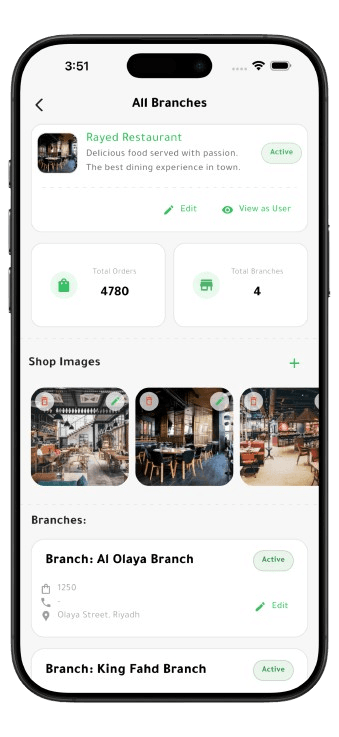
Every branch, one account
Run several branches from the same account, each with its own items and its own orders.
Delivery you do not have to run
Rayed drivers collect the order and take it to the customer, so you do not need your own fleet.
Know how each branch performs
See order and sales figures for your restaurant and for each branch on its own.
Getting started
Four steps from registering to your first order.
Register your restaurant
Create a business account in the Rayed app with your restaurant's details.
Get verified
Submit your business documents so we can confirm your restaurant.
Publish your items
Add your dishes, set what is available, and open your shop.
Start receiving orders
Customers nearby can now order from you, and drivers take care of delivery.
Put your restaurant on Rayed
Tell us about your restaurant and our team will take you through joining the platform.