
Food, shopping and delivery — all in one app.
Order from restaurants near you, shop from local stores, and follow every order from the moment it is confirmed until it reaches your door.
Restaurants and stores that work with Rayed





Rayed brings restaurants, stores, customers and delivery drivers together — so ordering, selling and delivering all happen in one place.
One app, four ways to use it
Whatever you came for, Rayed is built around the same order — placed in the app, prepared by a business, delivered by a driver.
Customers
Order food from restaurants nearby, shop from local stores, and track each order until it arrives.
Order and shopRestaurants
Publish your items, receive orders from customers around you, and let Rayed drivers handle delivery.
For restaurantsStores
Put your products in front of nearby customers and manage every order from one dashboard.
For storesDelivery drivers
See the orders available around you, choose the deliveries that suit you, and build your rating.
For drivers
Your favourite food, a few taps away
Browse the restaurants around you, pick what you want, and place the order in the app. Once the restaurant confirms it, a Rayed driver collects it and you can follow the delivery on the map until it reaches you.
- Browse restaurants near you and see what each one offers
- Add items to your order and check the details before you confirm
- Follow the order on the map from pickup to your door
- Rate the restaurant and the delivery once it arrives
More than food
Rayed is not only for meals. Browse products from stores and local businesses in your area, place your order in the same app, and have it delivered the same way your food order is.
- Discover stores and local businesses close to you
- Browse their products with photos and details in the app
- Order and track it exactly like a food order
Three ways in, one order
Rayed works the same way for everyone involved in an order — here is what each side does.
For customers
From opening the app to the order arriving at your door.
- Discover
- Choose
- Order
- Track
- Receive
For restaurants and stores
From joining Rayed to serving customers you were not reaching before.
- Join
- Add your menu or products
- Receive orders
- Serve customers
For delivery drivers
From registering to completing your first delivery.
- Join
- Get verified
- Accept a delivery
- Pick up
- Deliver
Grow your restaurant with Rayed
Publish your items, receive orders from customers around you, and let Rayed drivers handle delivery.
- Orders from your area
- Orders in one place
- Every branch, one account
- Delivery you do not have to run
Bring your store online
Put your products in front of nearby customers and manage every order from one dashboard.
- Customers near you
- A product list you control
- All your branches together
- Delivery handled for you
Deliver with Rayed
See the orders available around you, choose the deliveries that suit you, and build your rating.
- Orders around you
- You choose what to take
- Pickup and drop-off details
- A rating that follows you
What the app actually does
Every feature below is part of the Rayed app today — for customers, for the businesses receiving orders, and for the drivers delivering them.
Food ordering
Browse restaurants nearby, build an order from their items, and place it in the app.
Store shopping
Browse and order products from stores and local businesses in your area.
Live order tracking
Follow an order through confirmation, pickup and delivery, with the driver's location on the map.
Order details and invoices
See what is in an order, what it comes to, and the invoice for every order you place.
Order management
Businesses receive orders as they come in, confirm them, and move them through to delivery.
Products and stock
Add items, keep details up to date, and track stock so an order is never taken for something unavailable.
Multiple branches
Run more than one branch from a single account, each with its own items and its own orders.
Reports
See order and sales figures for your business, and for each branch on its own.
Ratings and reviews
Customers rate what they receive, so businesses and drivers build a visible track record.
Driver verification
Drivers submit their licence, vehicle and identity documents in the app before they start delivering.
Nearby orders
Verified drivers see the orders available around them and choose which ones to take.
Arabic and English
The whole app works in both Arabic and English, with full right-to-left support.
The app your business runs on
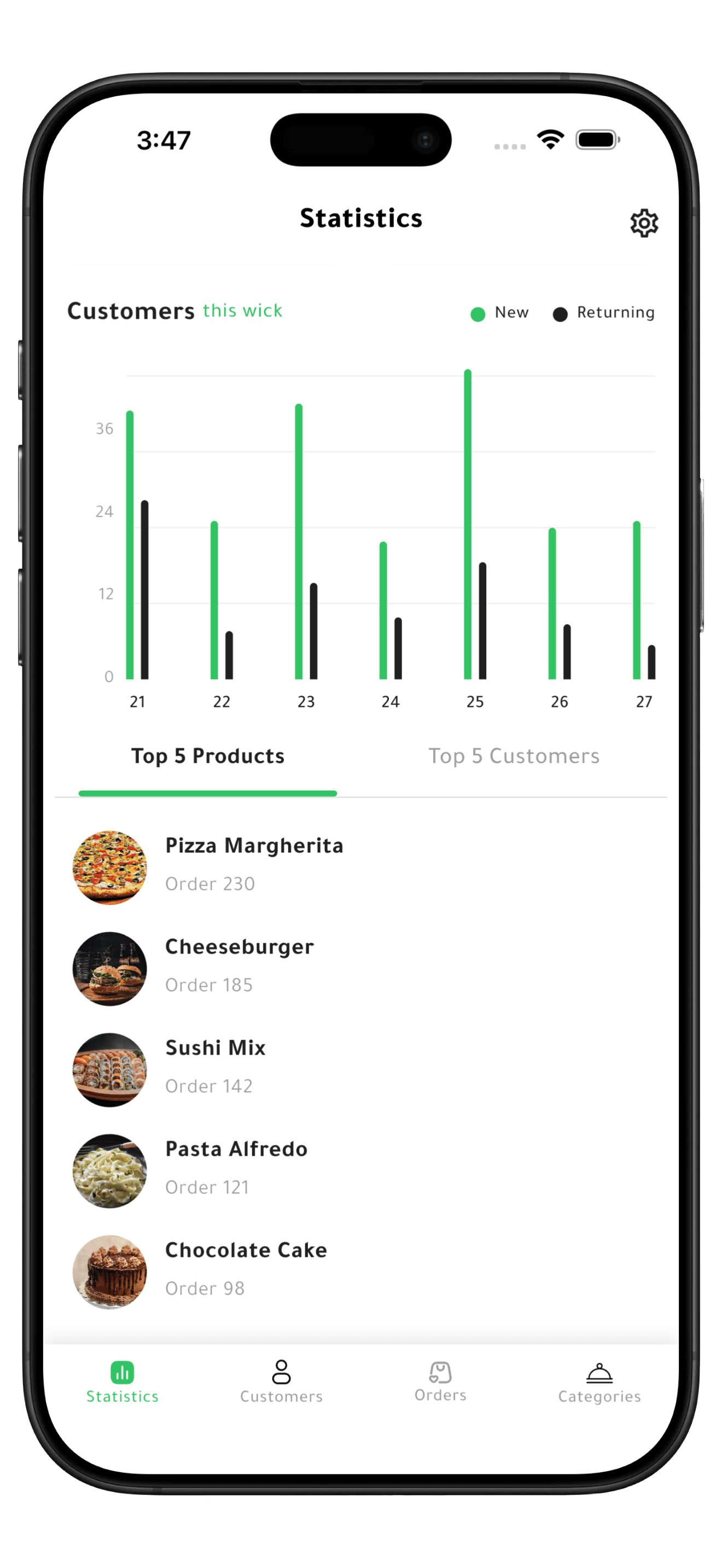
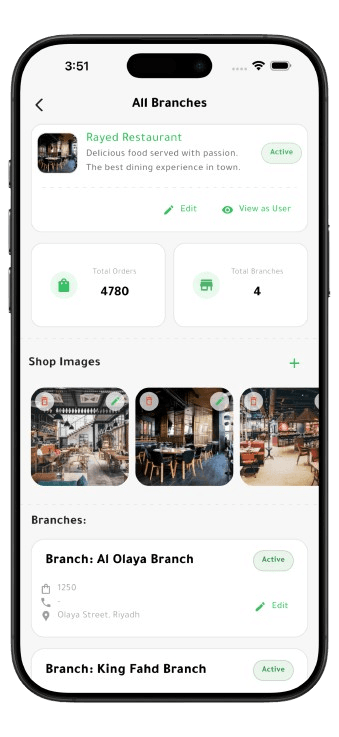
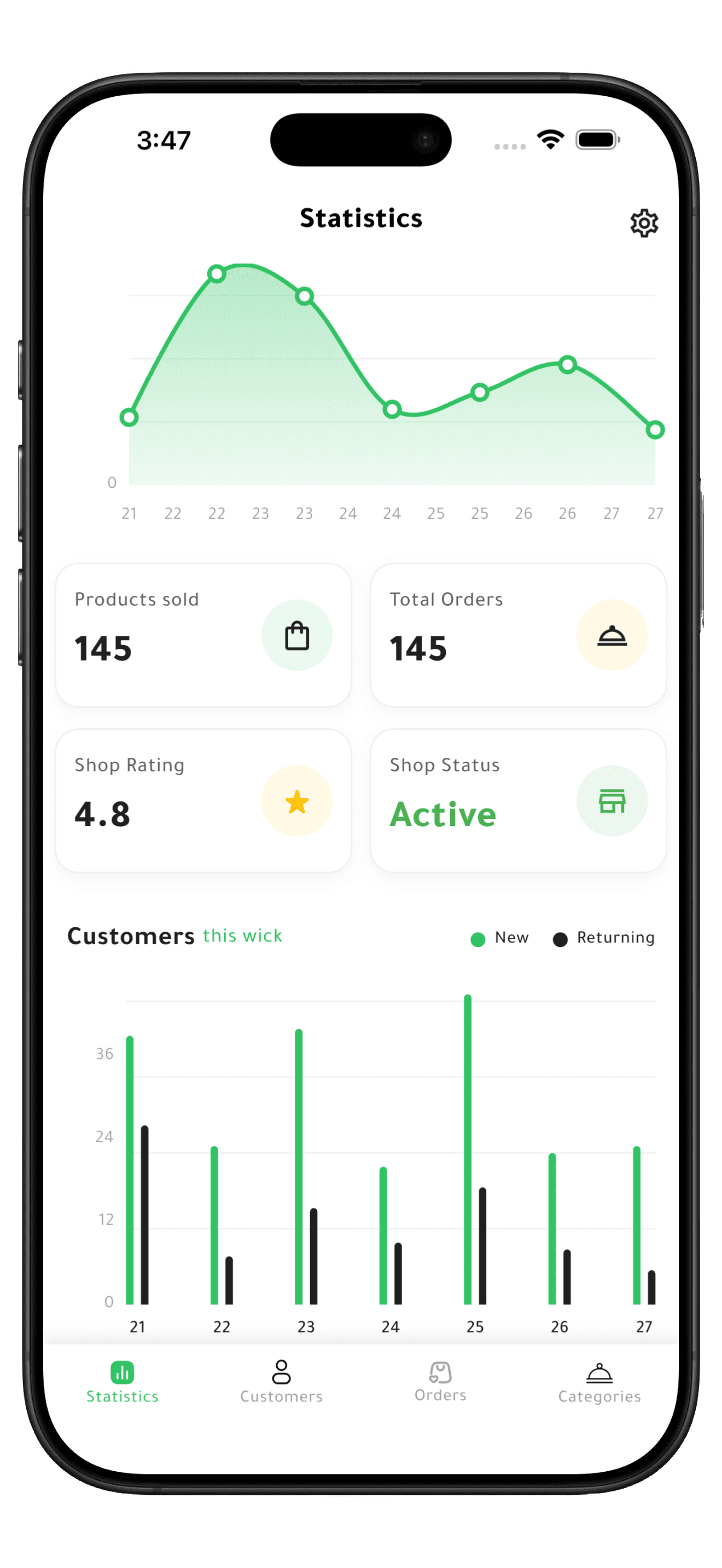
These are the screens restaurants and stores use on Rayed to publish what they sell, take orders and see how each branch is doing.
Every branch in one place
Each branch you run, with its orders and details, under a single business account.
See what sells
The items customers order most, so you know what to keep ready.
Your numbers at a glance
Items sold, orders received, your rating and whether your shop is open to orders.
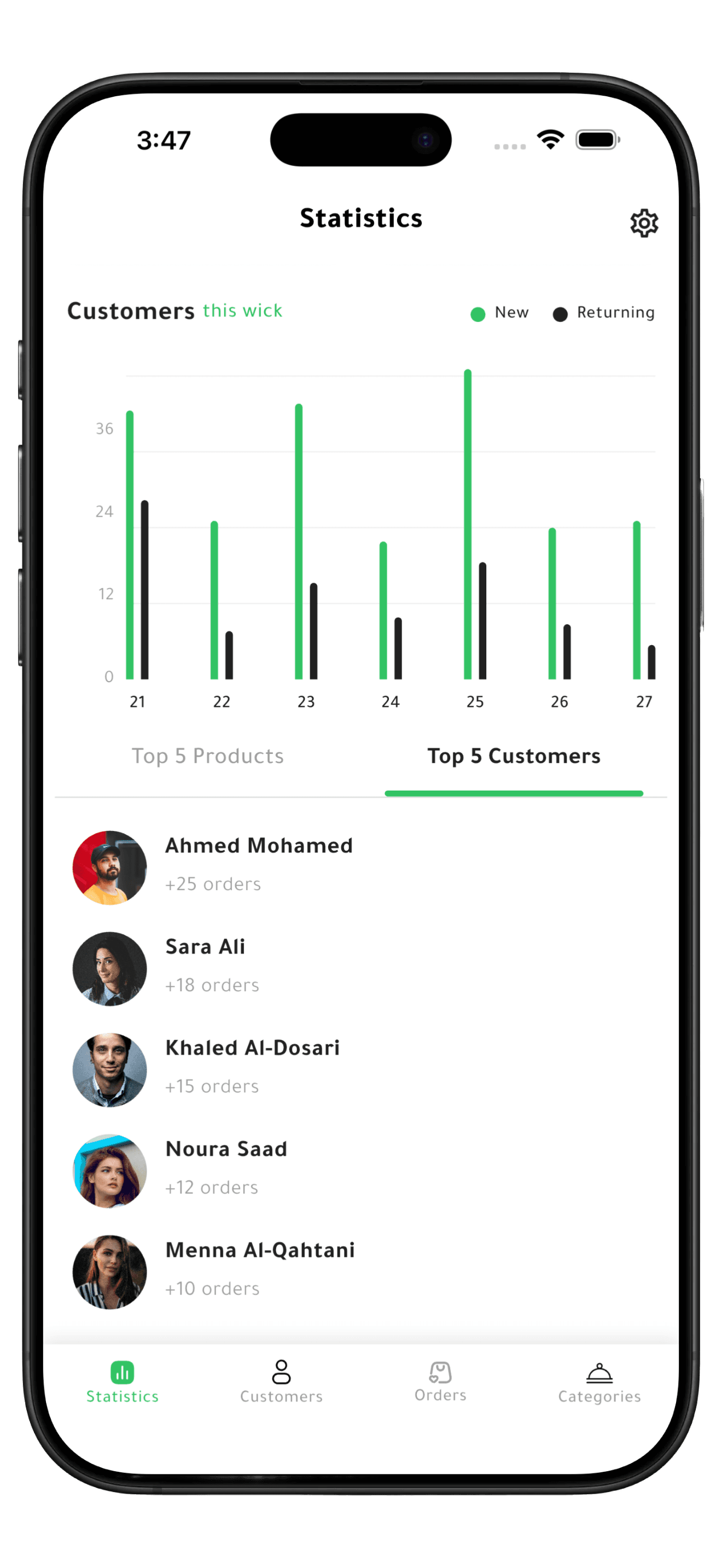
Know your regulars
Which customers come back, and how often they order from you.
Frequently asked questions
Ordering, joining as a restaurant or store, and registering as a delivery driver.